COMP4461 HCI Personal Project 1 Diaries
Project 1
Project Description:
Group 2 | MOSS | Yin Jianing, Guo Qixuan, Wong Tsz Yiu, Tung Chuen Yuet, Fu Xiaoyu
USTeam is a mobile application that improves the team formation process by providing information on potential teammates and enabling communication without prior contact. It also promotes transparency in post-project grading by facilitating fair evaluation of the engagement of different group members.
Empathize
Immerse (Problems)
- Lack of proper channel (know, communicate)
- Not sure if he/she is a free-rider (ability)
- The peer evaluation system is not mature
Observe (Existing solutions)
- Canvas-people/discussion, Email
- inefficient, too random
- Circle of friends
- not every class has friends in it
- Find a deskmate, introduce yourself in class
- too random needs a lot of courage
Summary
Interview
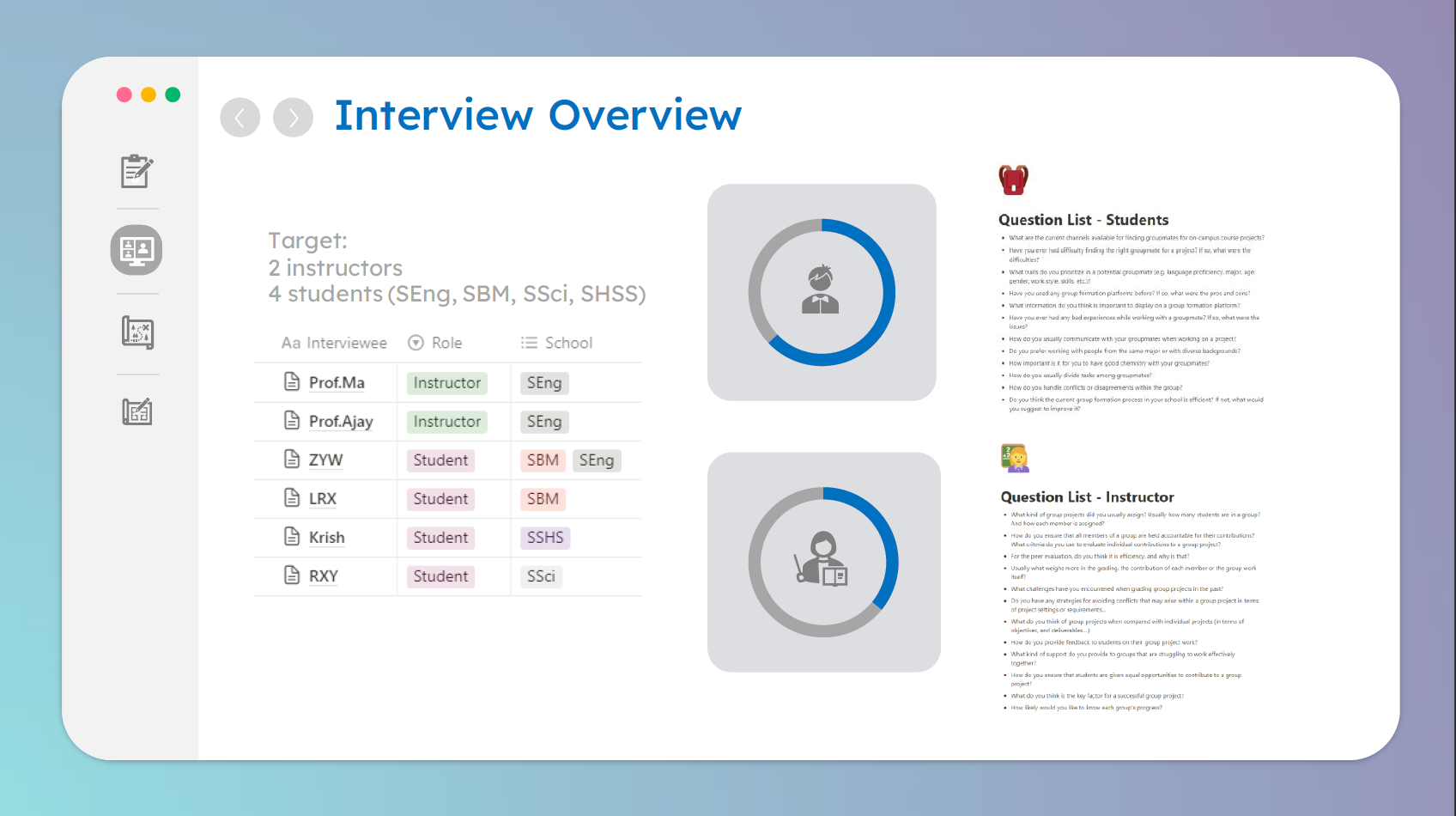
Summary
Student
- Students want to find reliable teammates but it is difficult. In the current state, finding groupmates is highly random, some are allocated randomly by professors, and some choose to find names in canvas-people/canvas-discussion or people they met in class. Only in rare cases can it be reassuring to have friends taking the same course together.
- For students, work style and open-mindedness are very important considerations for teaming. For students in SENG and SSCI, academic and research ability is also a key factor.
- Students think that work style, ability to express and understand, skills, and basic information are important things and need to be displayed on the teaming platform.
Instructor
- Instructors usually assign 4-6 students per group.
- Instructors evaluate through the presentations for group work and the personal log for individual contributions.
- Instructors think that peer evaluation is not efficient, as they don’t want to create a competing environment for groupmates and want them to collaborate well.
- For instructors, the key factor for a successful group project is collaboration and how the skills complement.
###Persona
Student
- Personal info:
- Name: Sarah
- Grade: Year3
- Major: DDP
- Goals:
- To find reliable teammates.
- To find teammates efficiency.
- To do the group project with high quality.
- Frustration
- In previous experiences, finding groupmates is highly random.
- Not every class has a friend she know.
Instructor
- Personal info
- Name: LEE, Wah
- Position: Chair Professor of CSE.
- Teaching courses: COMP2023
- Goals
- Group members can cooperate with each other.
- Group members can complement each other’s skills.
- To evaluate the contribution of each group member accurately.
- Frustration
- Unable to get and distribute important info about teaming.
- Peer evaluation is not efficient.
POV
Student
- Students want to find reliable teammates but it is difficult as lack of channel. In the current state, either through canvas-people/canvas-discussion or find people they met in class is inefficient.
- In addition, finding groupmates through the above ways is highly random. They do not know the work style, academic ability, personality and so on of each other. Only in rare cases can it be reassuring to have friends taking the same course together.
Instructor
- Instructors has no way to accurately know the contribution of each group member and evaluate individual contributions effectively only through personal log and peer evaluation.
Ideate
Brainstorm
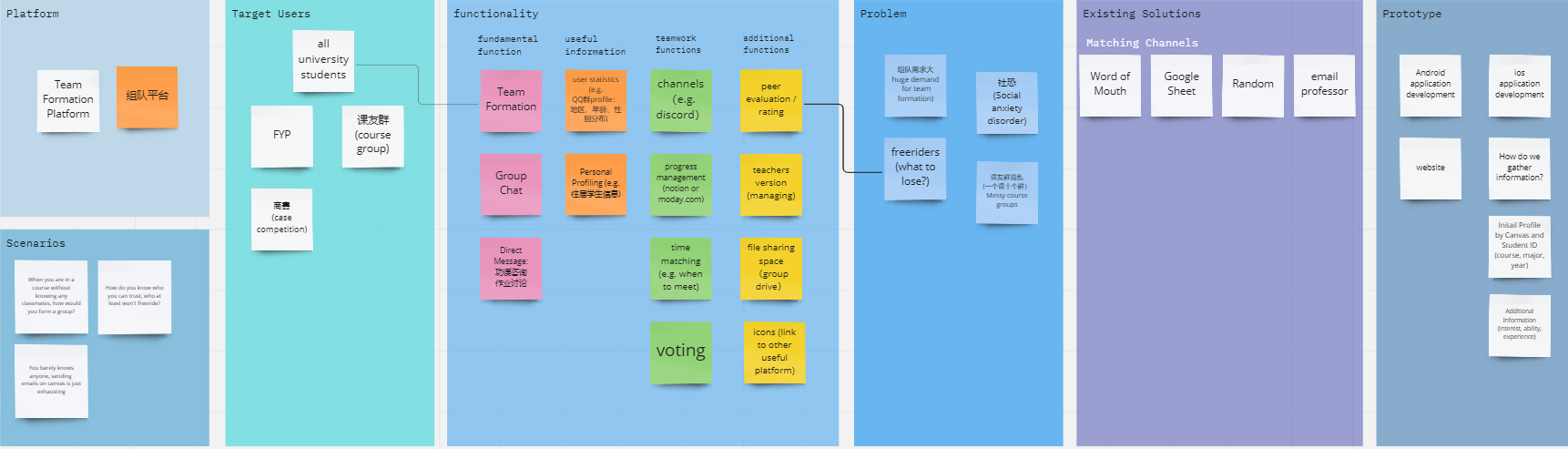
Mind Map → **Solution: **
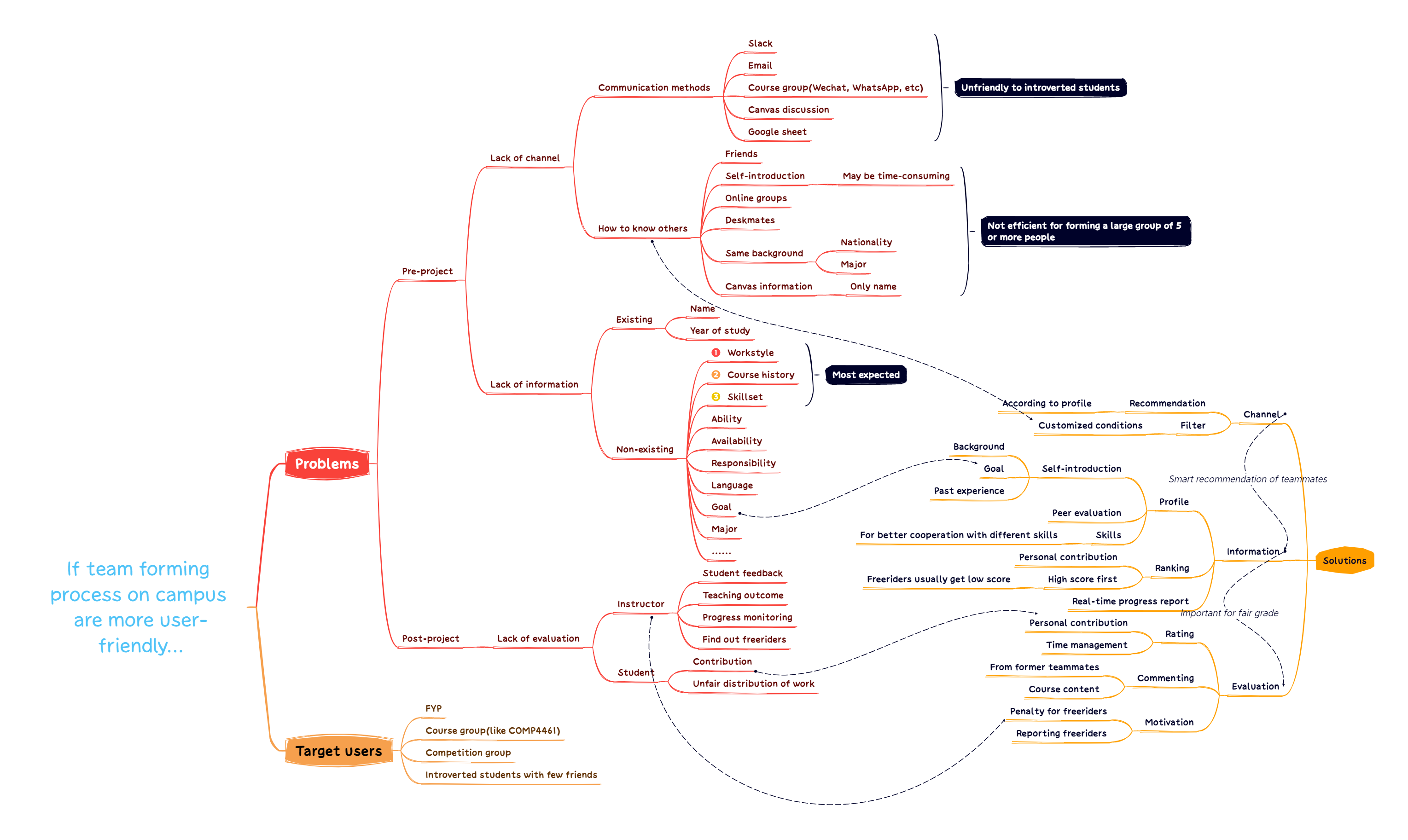
This mind map is produced after collecting responses from interviewees, including 2 professors and 4 students. It is divided into three parts, target users, problems and solutions. It shows the connections between current problems and our proposal of solutions, and included the rank of the 3 most expected information according to the interview result. It also briefly introduces some of the problems and solutions.
User Interface:
Our solution is a mobile app called UST Team. Which allows perfect teaming, efficient collaboration and precise evaluation.
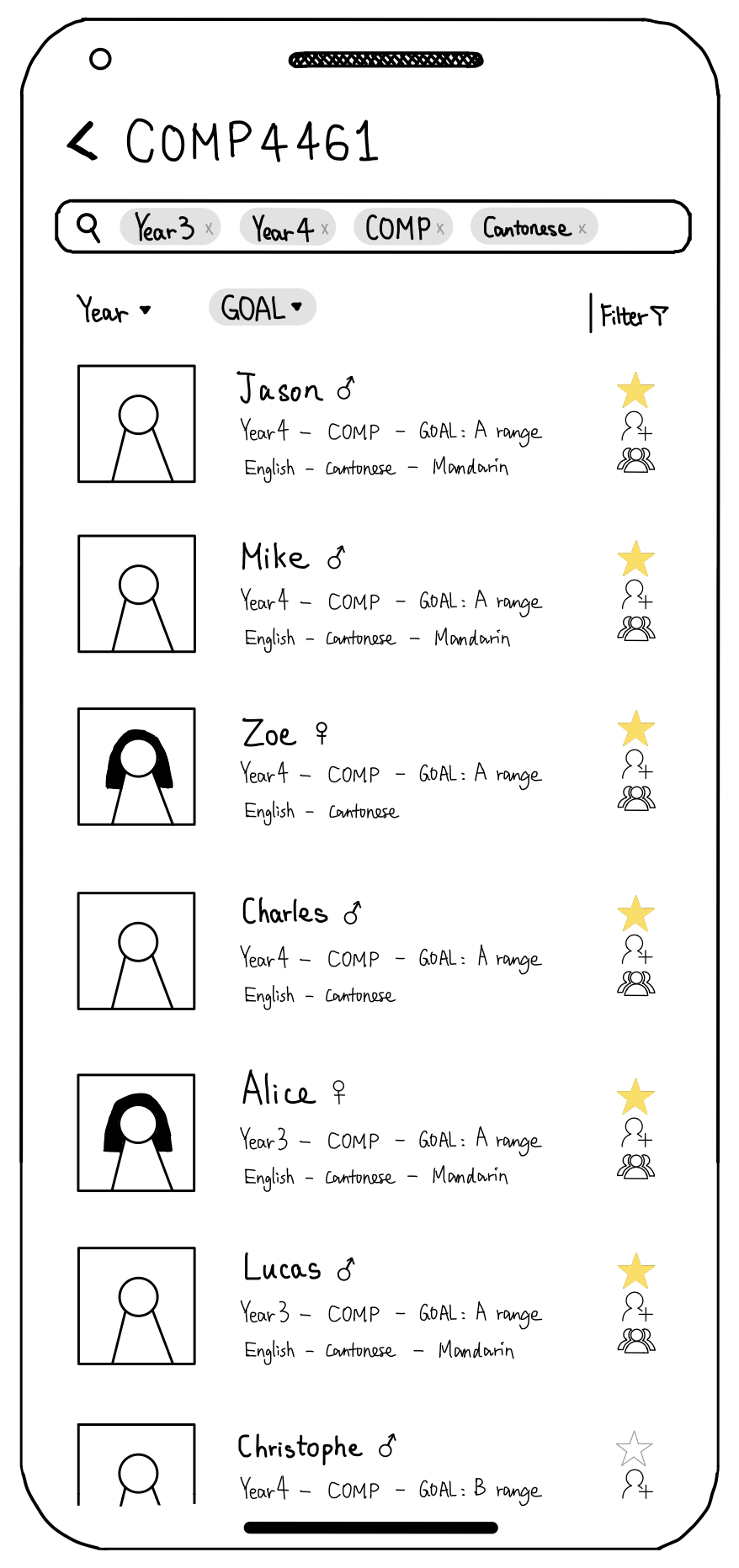
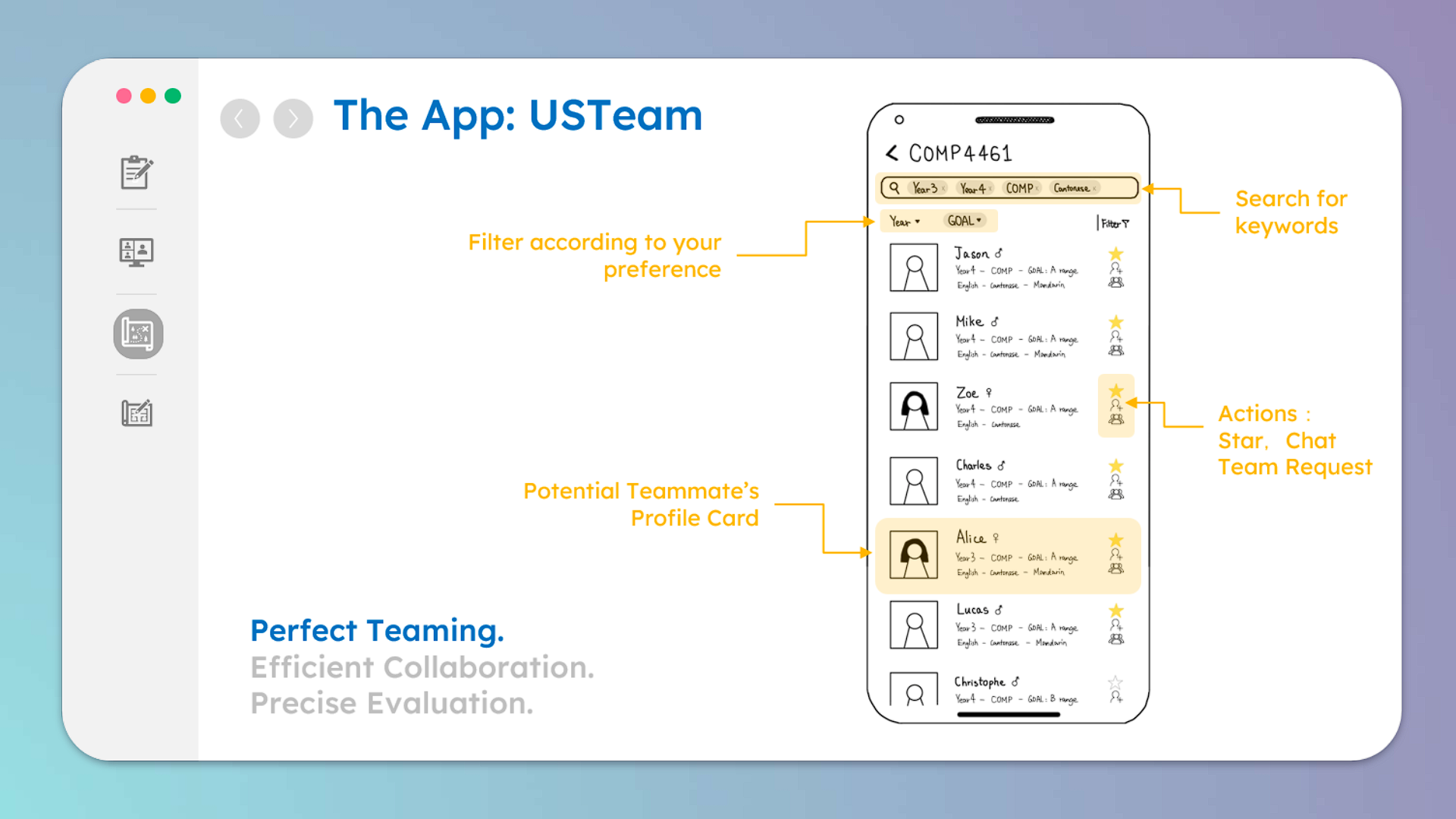
This is the interface for displaying the profile cards of potential teammates. And here we can filter according to preference and search for keywords. We can also chat with others and send out team requests from here.
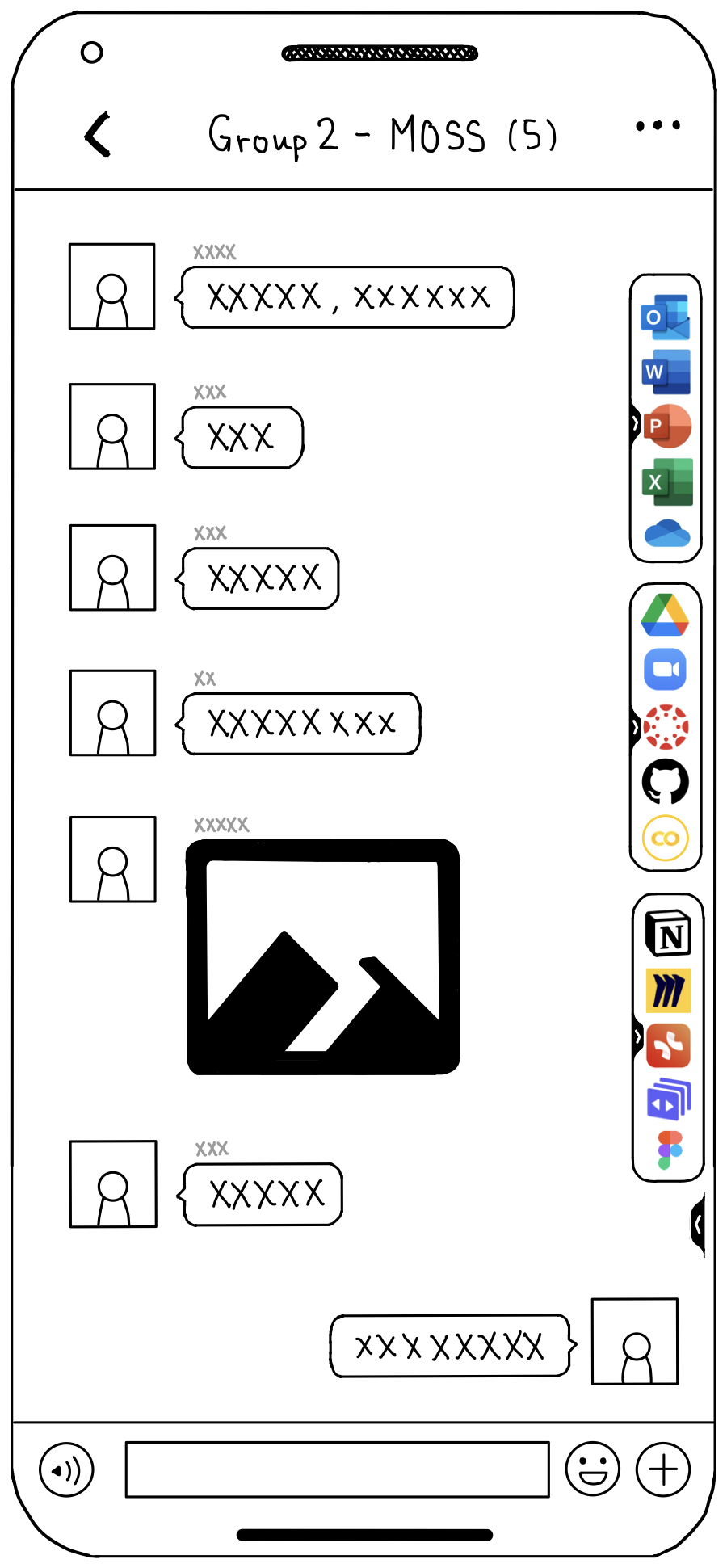
For collaboration, this is the team space where members can chat freely with each other and use the shortcuts of tools that might come in handy.
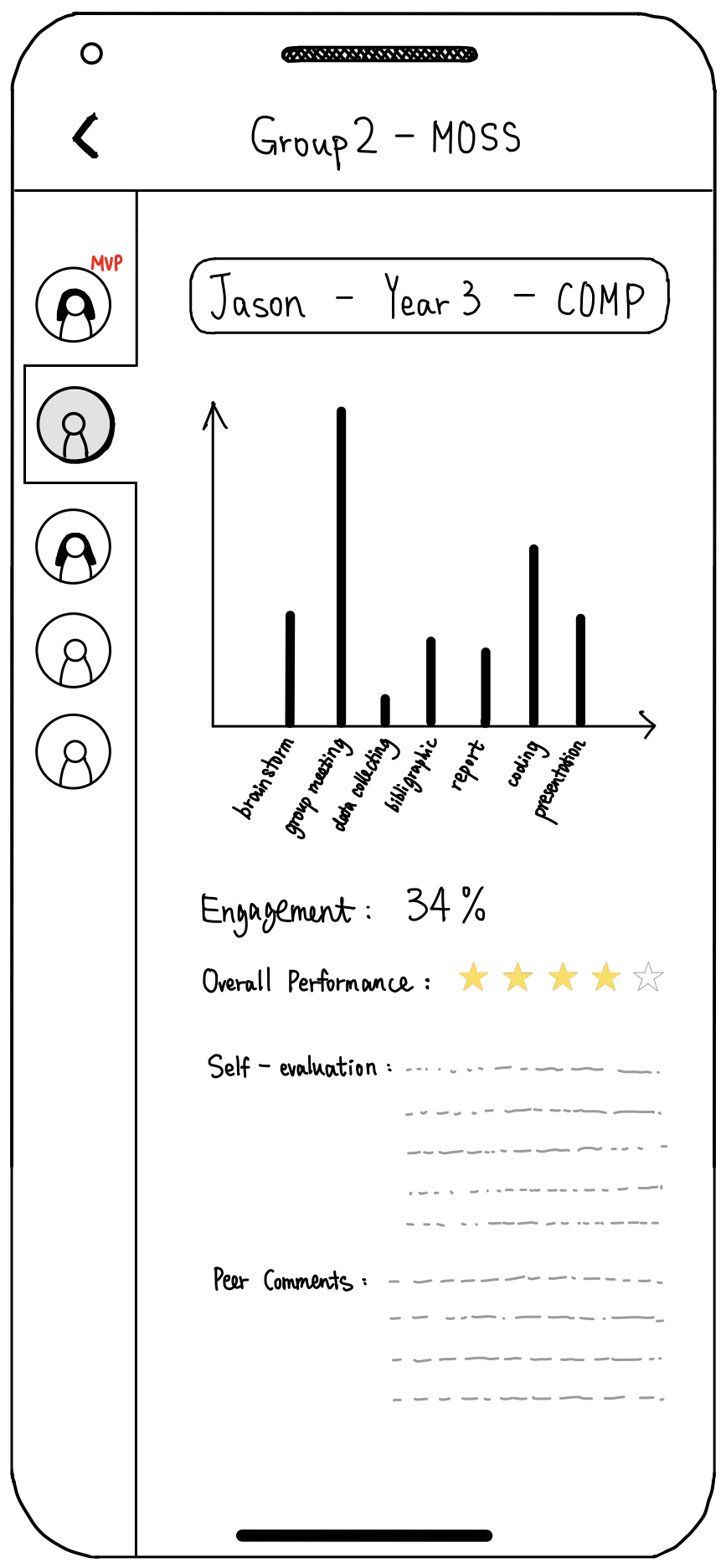
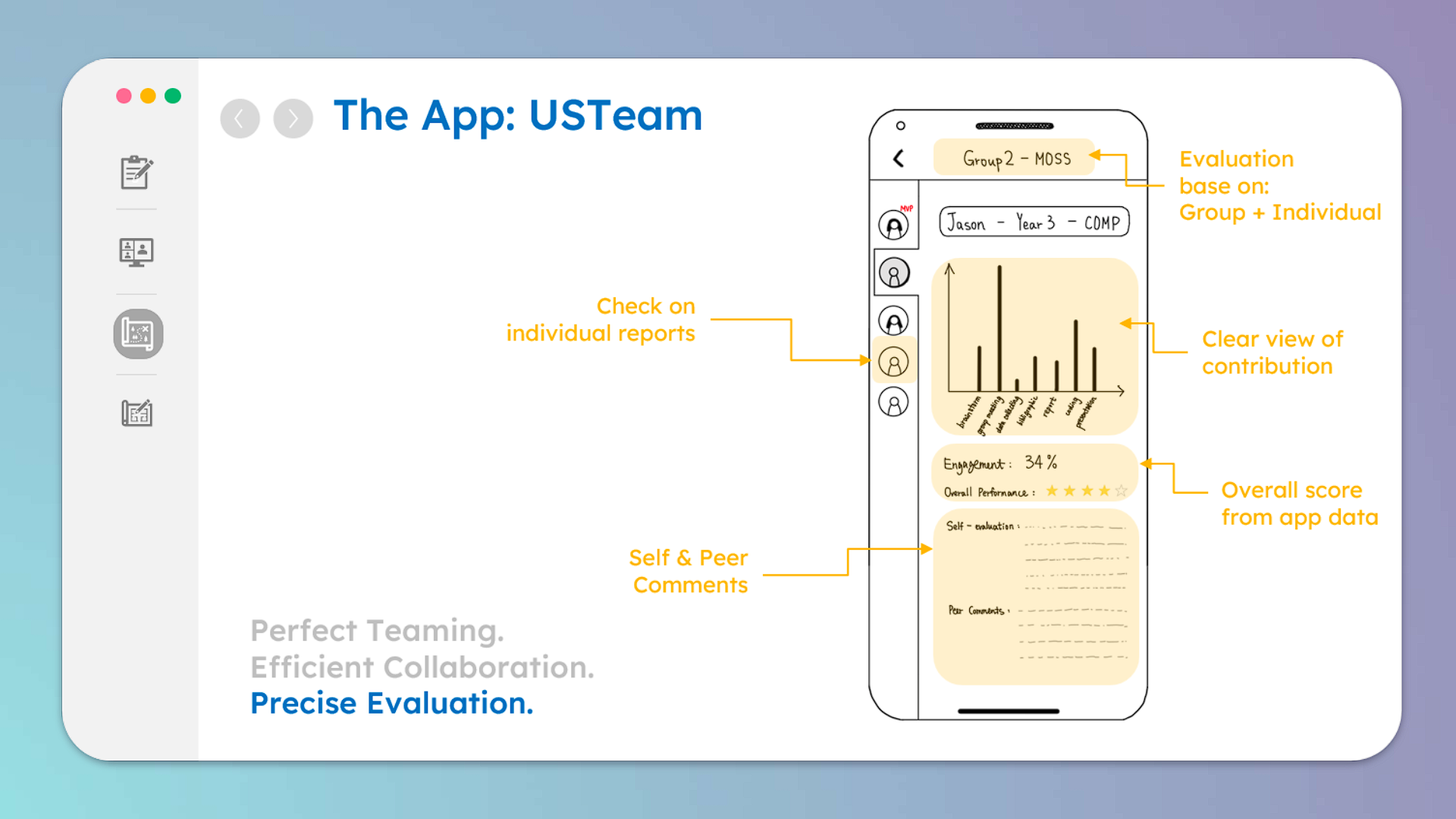
On the instructor’s version, we can evaluate within a group and check on each member’s report, including a clear view of contribution, self and peer evaluation, as well as an overall score calculated.
Workflow for student:
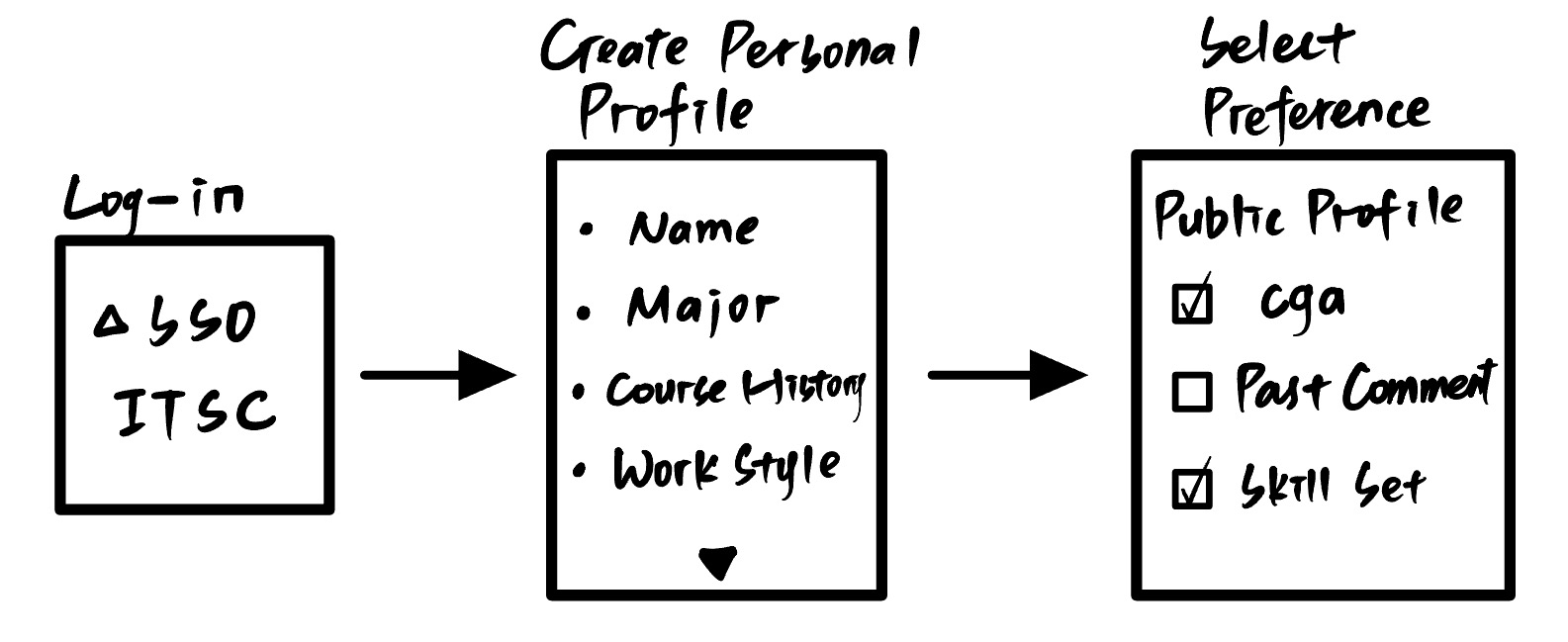
The app is designed for HKUST students, so we provide SSO and ITSC login for them. After logging in, students may create their personal profile, which includes some basic information such as their major, ability and workstyle. For privacy concerns, we allow users to hide some information. But to encourage them to show more, this operation is bidirectional, which means if you do not show your skill set, you cannot read others.
Once the setup is complete. Users can enter the course code to select their courses. After that, they can either form a new team or join an existing team by clicking the corresponding buttons.
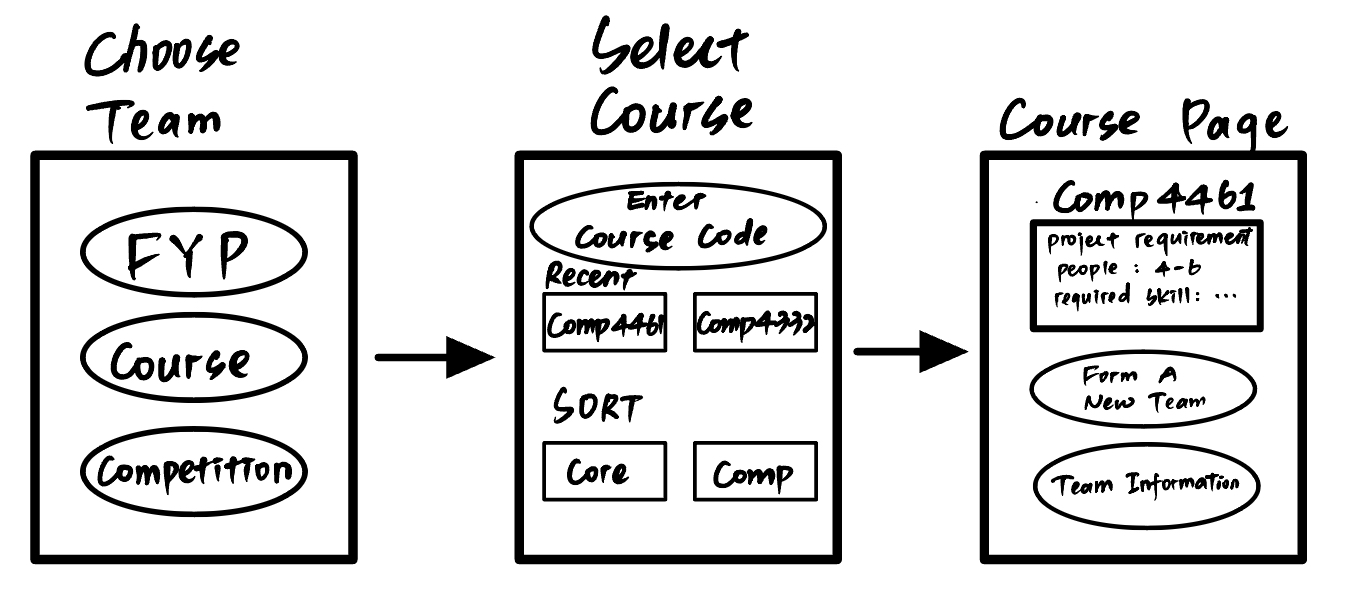
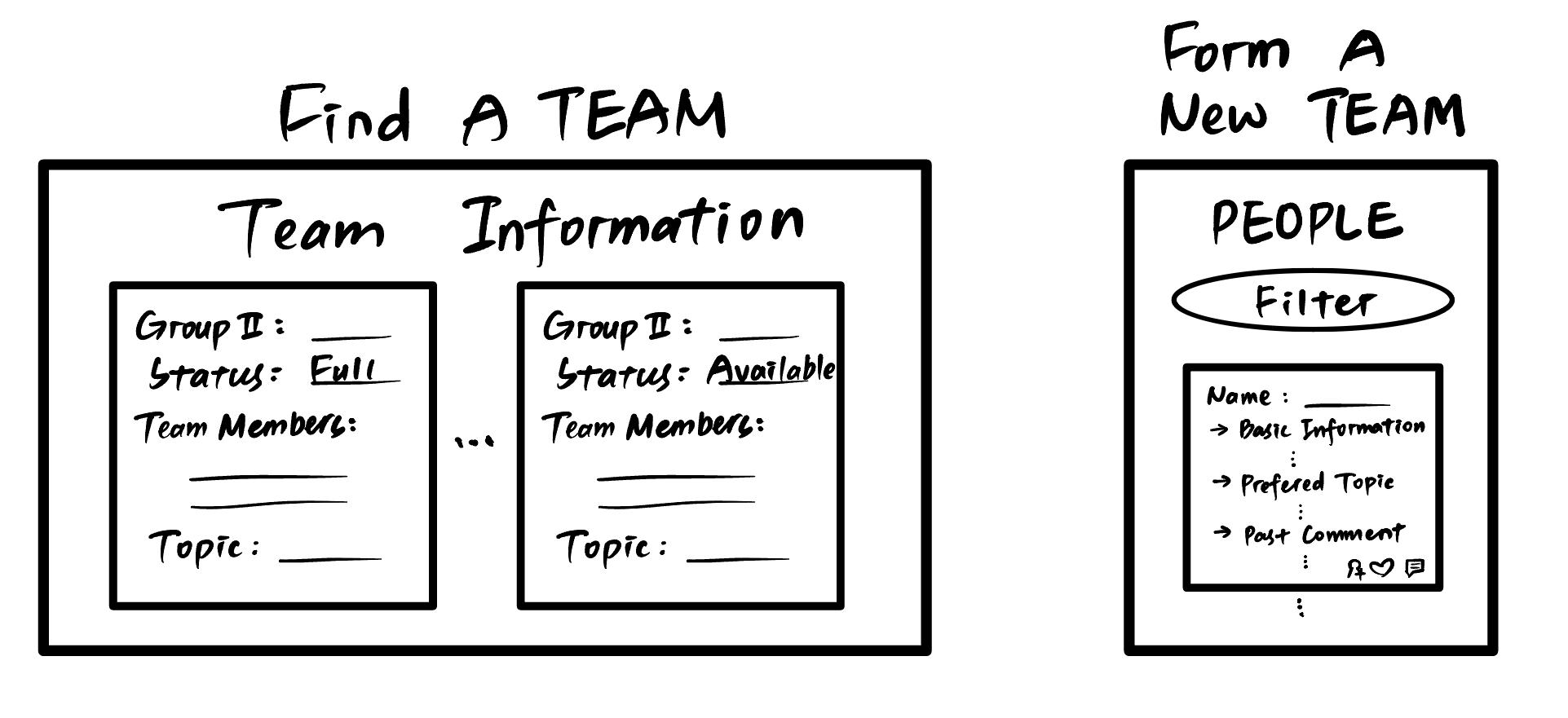
To form a new team, users have the option to filter and match with suitable teammates. On this page(right), users can access the public information of potential teammates. When finding a team, students can navigate to the team information section, where they can send a request to join them.
Workflow for teacher:
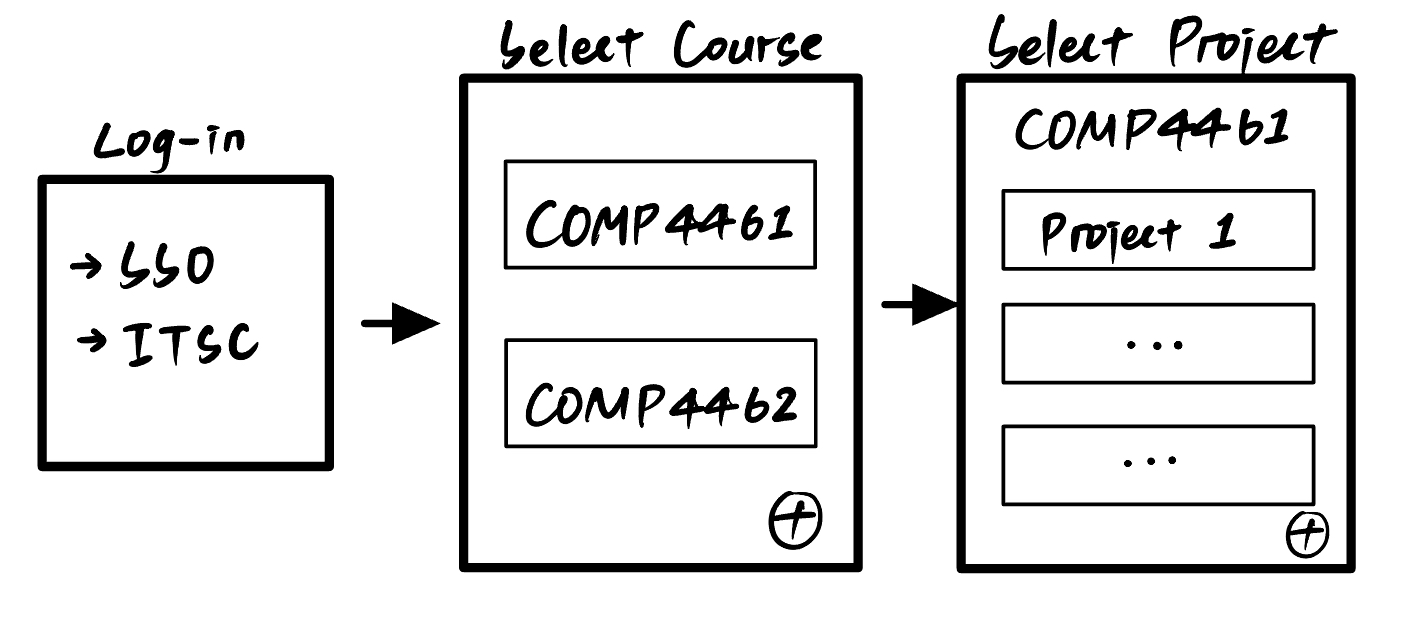
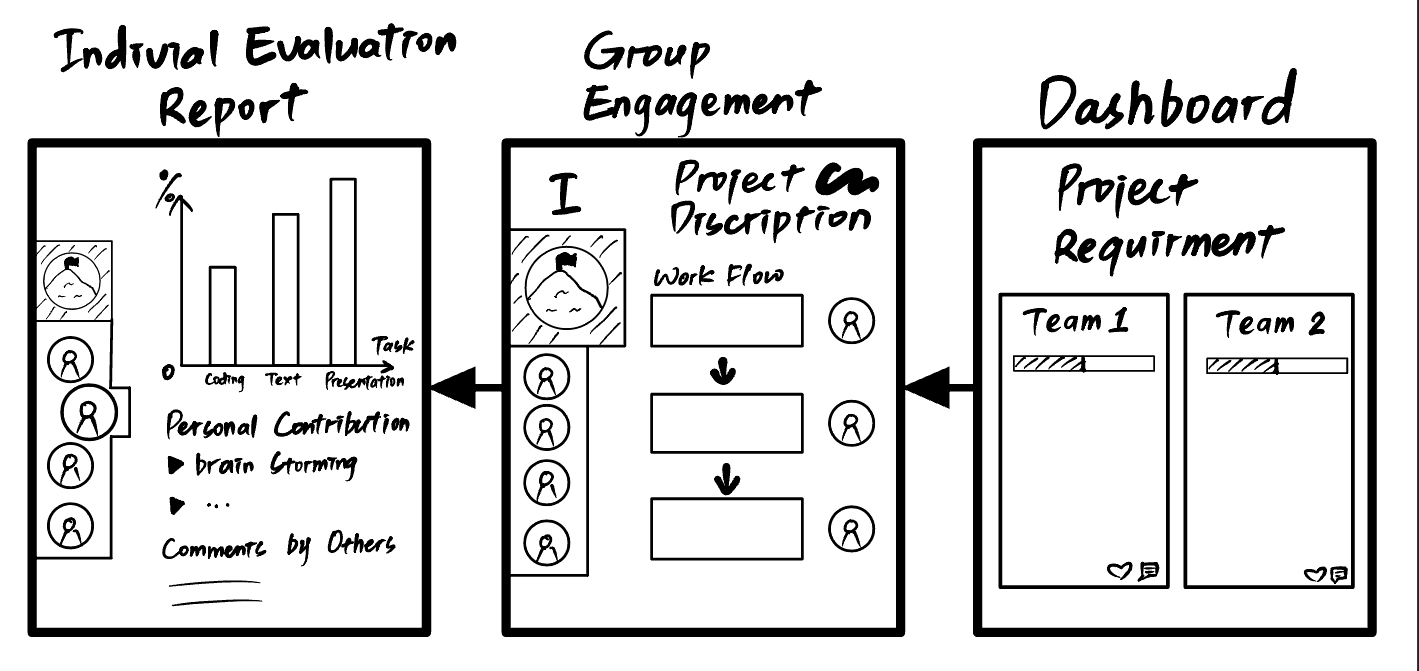
Teachers may create a project dashboard for their courses, where they can monitor the progress of various teams and assess the contributions of individuals.
Solution:
Function:
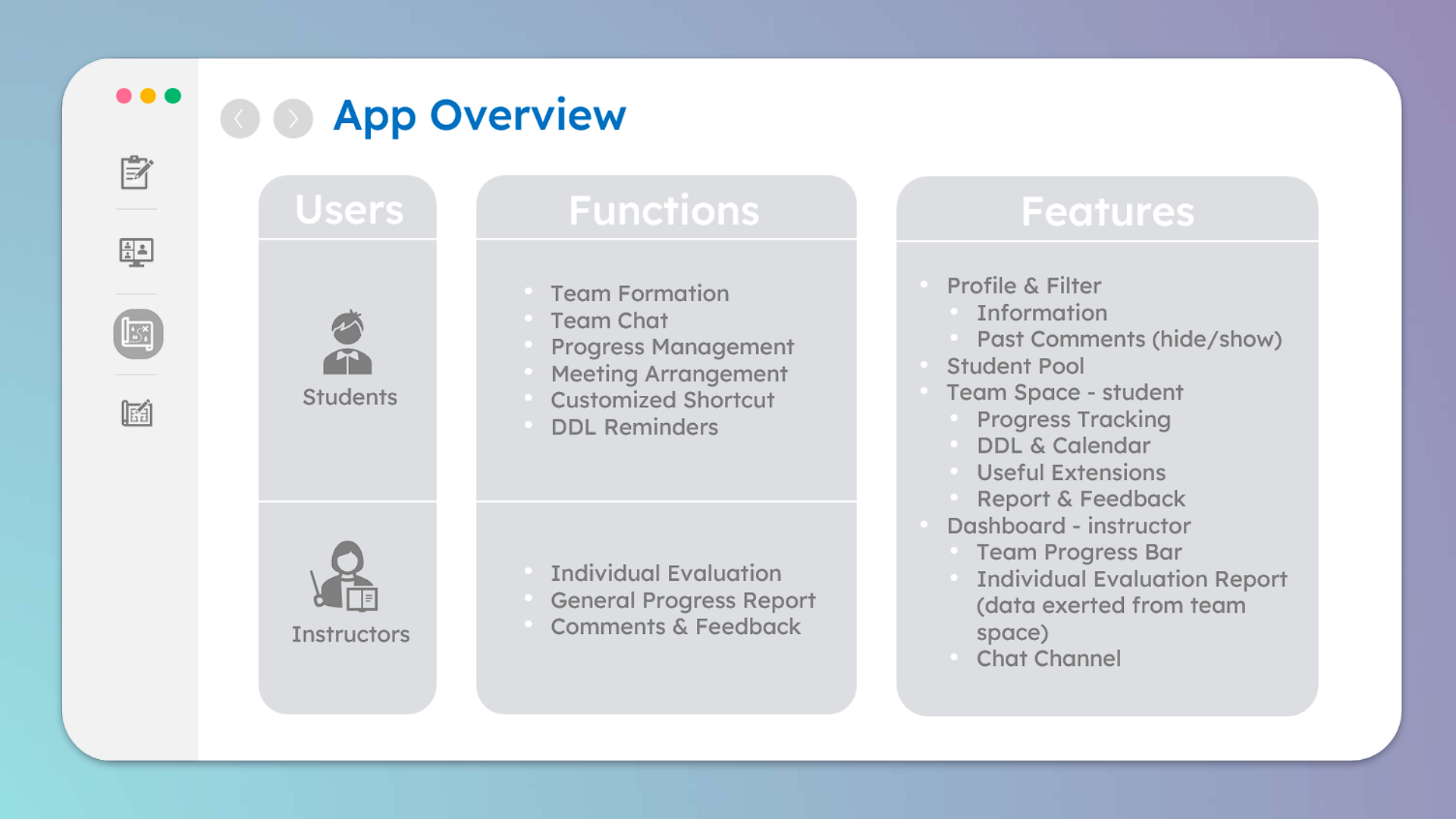
- For Students
- Team Formation
- Team Chat
- Progress Management
- Meeting Arrangement
- Customized Shortcut
- DDL Reminders
- For Instructor
- Individual Evaluation
- General Progress Report
- Comments & Feedback Channel
Features:
- Profile & Filter
- Information
- name
- years
- major
- workstyle
- course history
- Past Comments (hide/show)
- Information
- Student Pool
- Team Space - student
- Progress Tracking
- DDL & Calendar
- Useful Extensions
- Report & Feedback
- Dashboard - instructor
- Team Progress Bar
- Individual Evaluation Report
- data exerted from team space
- Chat Channel
Verify
Story Boarding:
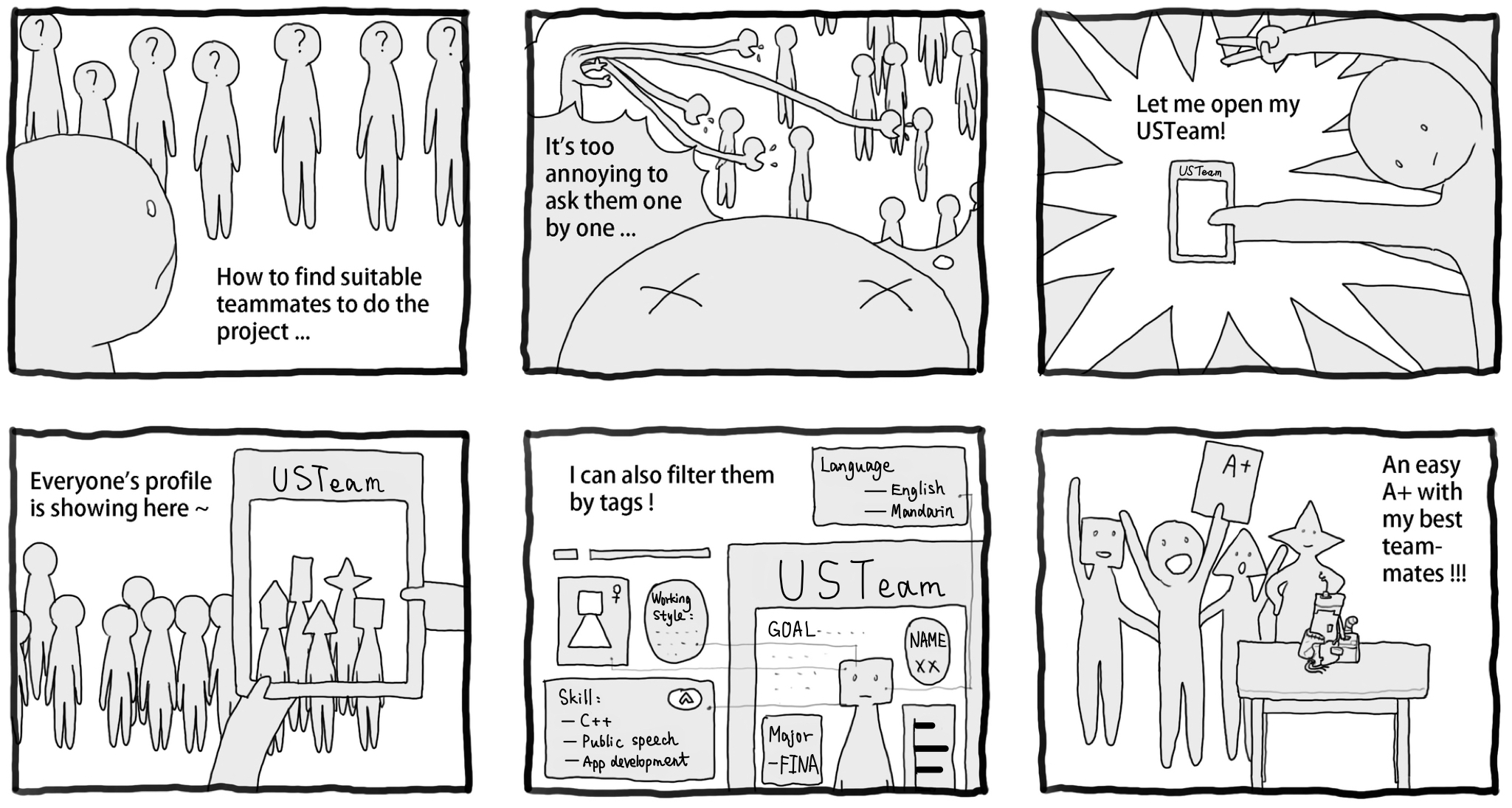
- For student
- Me, Strangers (Don’t know others and being isolated) (want to greet but hesitated)
- Outlook interface (canvas grouping) (Open website, grouping, afraid of being rejected, suffering)
- App interface, profiling, filtering (Open app, filtering (course: 4461, team capacity: 5, major or ability), arrow to right, some appropriate result with head icons, (Up-right: grouping status, down-right: send request) )
- Matched! A+!
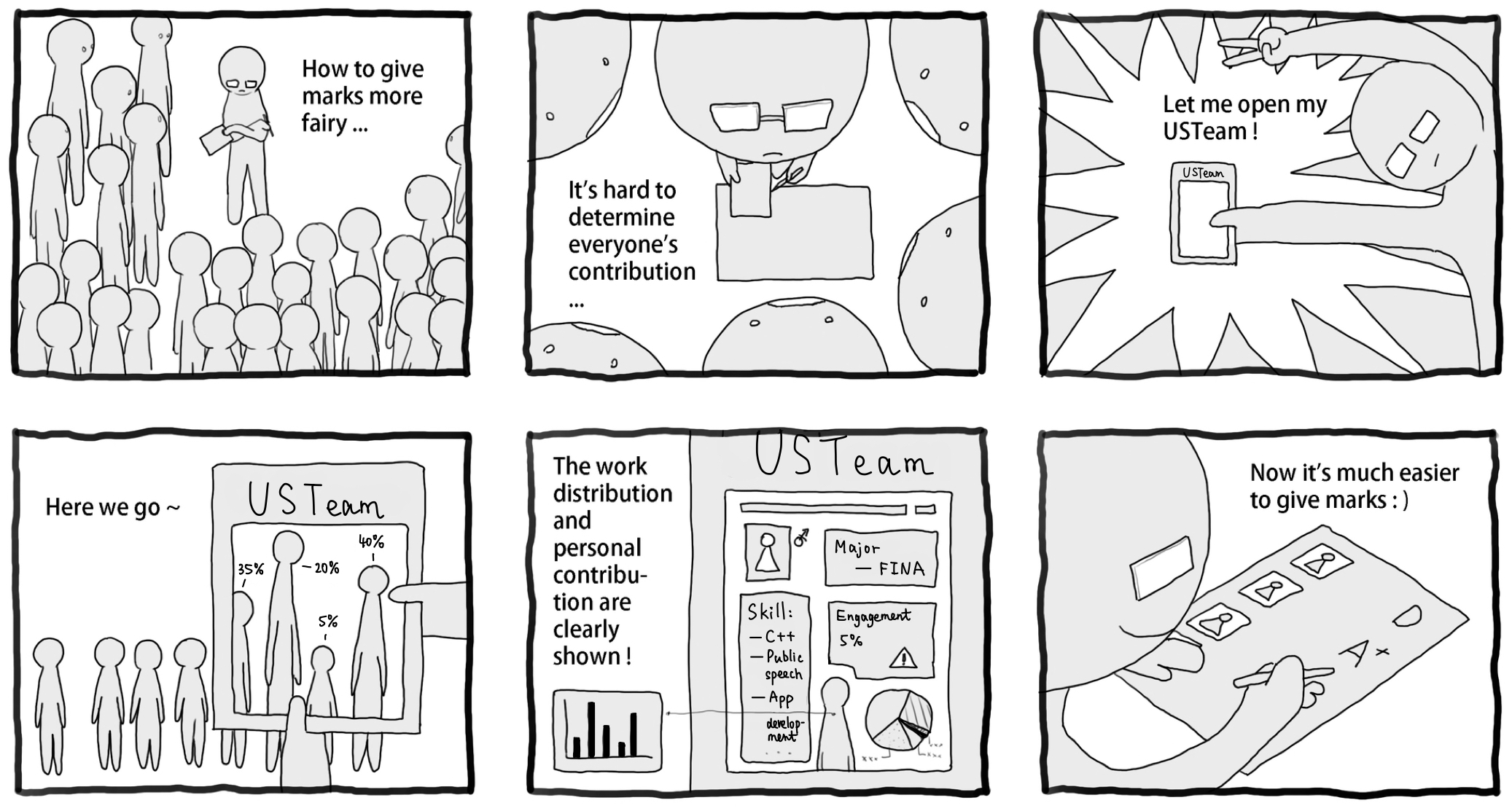
- For instructor
- Grading interface, difficult to determine
- Smooth communication
- Statistics (distribution, contribution, cooperation diagram)
- Grading interface 🙂 (students and professors satisfied, free riders regret)
We drafted two storyboards to show the perspectives from both students and professors.
For students, we would like to provide a platform to help them form groups in an easier way:
For professors, we would like to provide a platform to help them grade students in an easier way:
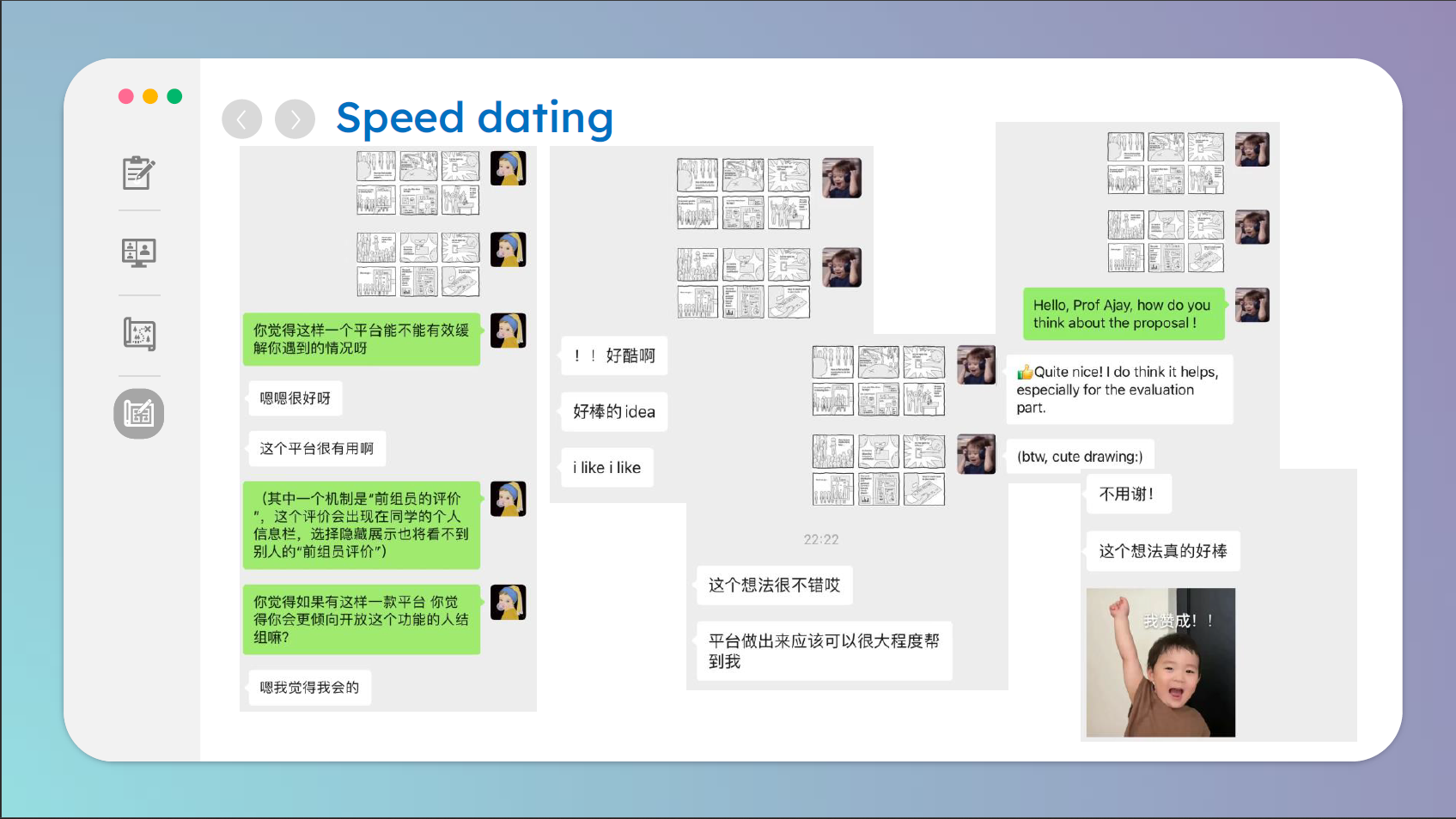
Speed Date
After several rounds of speed dating, we picked the 5th option as its preference rank was more consistent compared to other proposals. Upon the design of a paper prototype, we found that we lacked engaging methods of interactions in this proposal as scanning QR code constantly is - boring. We then considered different gestures that could simplify the experience of the app and maintaining engagement degree
Personal Contribution & Reflection
I joined the team and participated in brainstorming the topic to choose, and produced the mind map after gathering suggestions from my teammates. I also helped sort out the document from Notion to make it easier for publish. During the process, I had a wonderful experience of teamwork and learned a lot about user-friendly design.
Group Meeting
- 09/02 - 14:00-14:30 - Library LC04
- Get to know each other
- Create notion workspace
- Briefly discuss possible topics
- 13/02 - 20:00-21:30 - Library LC07
- Discuss the group name
- Upload group information in excel
- Finalize the project topic
- Brainstorm in Miro
- 21/02 - 20:30-22:30 - Library LC09
- Brainstorming
- Draw the draft of mind map
- Allocate tasks
- 23/02 - 14:00-16:30 - Library LG1
- Doing project together
- 25/02 - 13:00-18:00 - Library LC18
- Finalize the mind map
- Finalize the workflow, function and feature
- Finalize the story board
- PowerPoint draft
- 26/02 - Library LG1
- Edit the PowerPoint
- 27/02 - 20:00-01:00 - Library LC10
- Write presentation script
- Finalize the PowerPoint
- 28/02 - 20:30-23:00 - Library LC12
- Finalize the script
- Presentation rehearsal