COMP4461 HCI Personal Project 2 Diaries
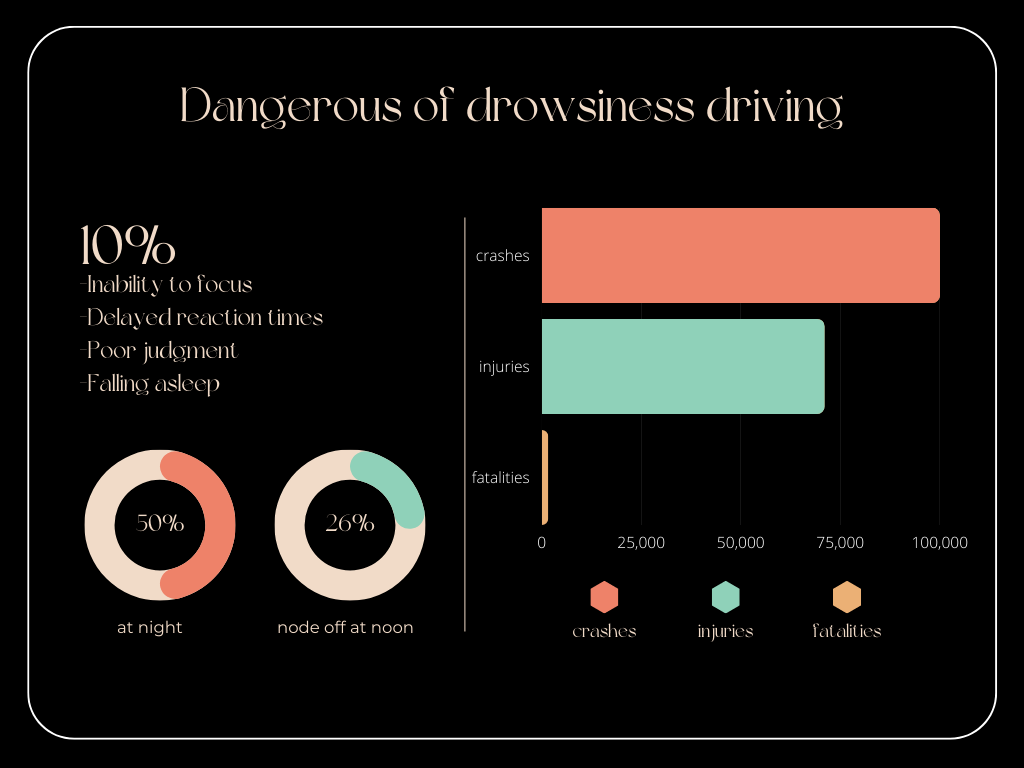
Project 2 - DoSS
Group 2 | MOSS | Yin Jianing, Guo Qixuan, Wong Tsz Yiu, Tung Chuen Yuet, Fu Xiaoyu
Project description
DoSS (Driving-Operator Safety System) is an app designed to improve driving safety by detecting the driver’s level of alertness and warning them if they become drowsy. One of the key features of the DoSS is its interactive nature, which allows it to provide real-time feedback to the driver while they are on the road. This feedback can help drivers make better decisions and stay alert while driving, improving their safety and reducing the risk of accidents.
Empathize
Problem Definition
Drowsy driving, also known as driver fatigue, is a serious problem that affects drivers of all ages and backgrounds. It is a condition that arises when a person is too tired to remain alert and focused while operating a motor vehicle. Drowsy driving is a common occurrence that can happen at any time of the day or night, but it is more likely to occur during the early morning hours or late at night. Drivers who engage in drowsy driving may experience a range of symptoms, including yawning, heavy eyelids, slowed reaction times, and impaired decision-making abilities.
The consequences of drowsy driving can be severe, resulting in a significant number of accidents, injuries, and fatalities on the road. According to the Transport Department of Hong Kong, drowsy driving is a significant problem that leads to a considerable number of accidents, injuries, and fatalities on the road each year. In 2020, there were a total of 1,129 accidents caused by driver fatigue, resulting in 478 injuries and 15 fatalities. These statistics highlight the urgent need to address the problem of drowsy driving and implement effective measures to prevent and mitigate its impact on road safety.
Observe (Existing solutions)
The following is a summary of existing products, detection methods, and alarming techniques related to drowsy driving.
There are several existing products and methods available in the market to detect drowsy driving, such as a mobile app detection system, Amazon Fatigue Driving Monitor Warning Device, and an oximeter. These detection methods include both biological and behavioral indicators. Biological signals like PERCLOS, frequency of blinking, yawn detection and counting, infrared eyeball detection, oxygen concentration in the ear, and the direction of eyesight are used to determine the level of alertness of the driver. Behavioral indicators such as comparing past driving experience, the force of holding handles, and the frequency of turning the handle are also considered.
However, the alarming techniques used to alert drivers of their drowsiness are often limited by their effectiveness and practicality. For instance, some techniques like playing an audio message or emitting uncomfortable light may not be well-received by drivers and may even cause further distractions. Other methods like sending messages to related departments or family members may not be effective in real-time situations.
Additionally, the existing solutions for drowsy driving have some limitations. Biological detection methods require high measurement accuracy and can sometimes be uncomfortable to wear or use. Moreover, they may have limited reliability due to personalization and other factors like emotions. Vehicle information and behavior indicators are highly dependent on driving patterns and may not be highly correlated with drowsy driving as other behaviors can also affect them. Therefore, there is a need for more advanced and reliable solutions that can accurately detect drowsy driving and alert drivers in real-time without causing additional distractions or discomfort.
Ideate
POV
- Driving for long periods of time leads inability to focus
- Driving alone is easy to get bored and leads to sleepiness
- Drivers want to be reminded in time when there are signs of drowsiness
Brainstorm
-
Chat Pet
- Companion for Kids
- ChatGPT
- Voice Recognition
- Stuffed Bear
-
Smart Crutch
- Automatic 999 (Detecting Falls)
- Button 999
- GPS Location
- Simple Q&A
- Caregiver/Family App Monitoring
-
Problems
- Focus
- Forest
- Lack of Energy
- Time Management
- Procrastination
- Shoulder and Neck Pain
- Eye Fatigue
- Lack of Exercise
- Irregular Eating Habits
- Difficulty Getting Out of Bed
- Monotonous Diet
- Stress and Tension
- Focus
-
CBT
- Preliminary Diagnosis
- Simple Treatment
-
Education
-
iCups
- Odor Selection
- Double Ring
- Water Drinking Reminder
- Water Temperature Display
- Water Level Display
- Weather Display
- Time Display
- Cup Base Magnetic Stirrer (One-button Stirring for Powdered Beverages)
- Cup Pad Charging
- Solar Charging
- Mobile Information Synchronization
- GPS Location
Display Screen
- Pet is about to drown
Aperture
- Water Drinking Reminder: Flashing Color
- Flavor Indicator Light
Mobile App
- Water Temperature
- Odor Selection
Driving Companion
- Fatigue Driving Alert
- Vibration → Not Effective
- Virtual Pet Prompt → Distracting
- Telling Jokes
- Electric Shock
- Road Rage Emotional Relief
- Road Conditions Reminder with Voice Chat
- Fuel Reminder + Nearby Gas Station Reminder
- Mobile Phone
- Bringing Kids (Telling Stories)
- Photography
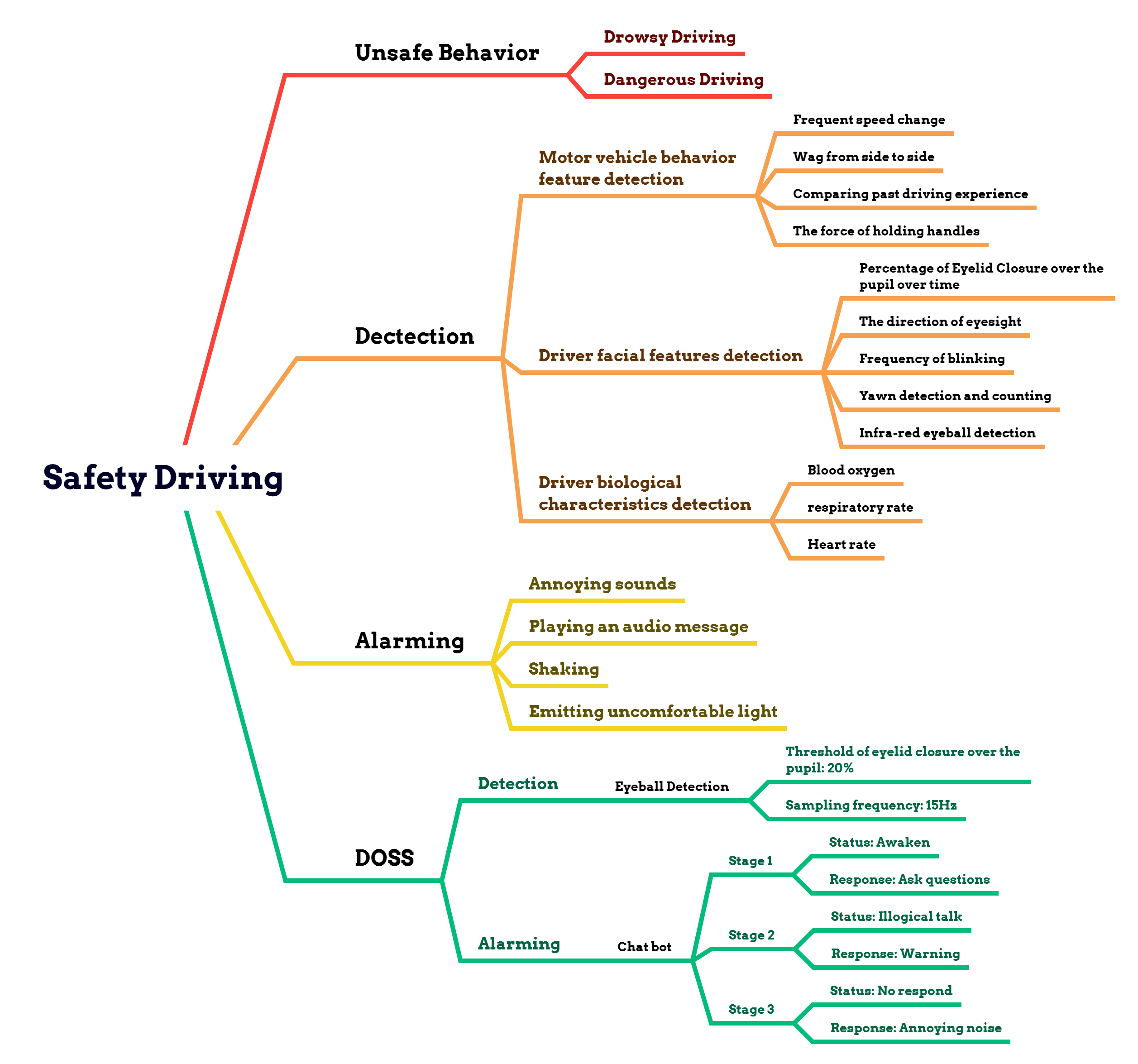
Mind Map → Solution
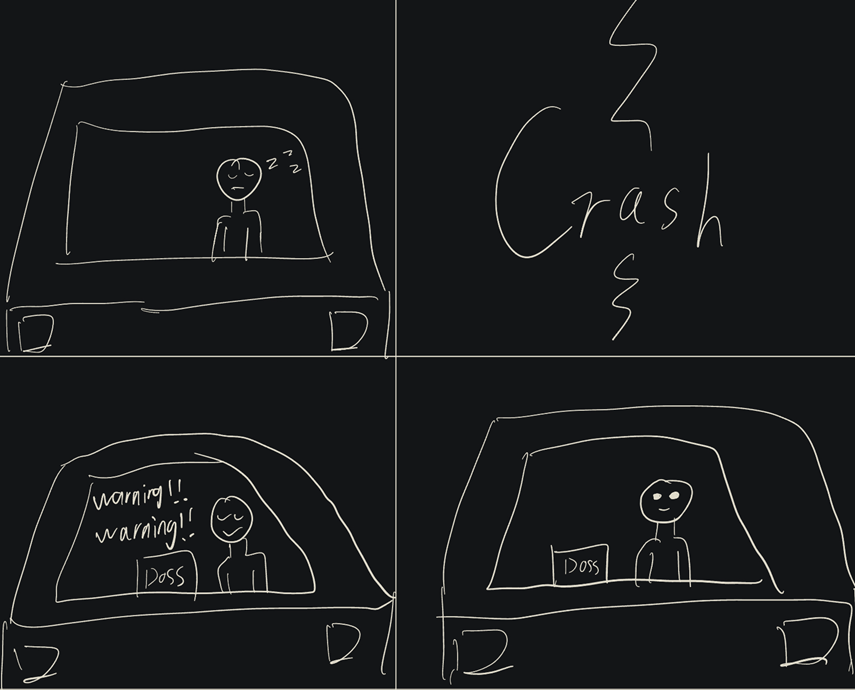
Storyboard
Prototype
DoSS UML
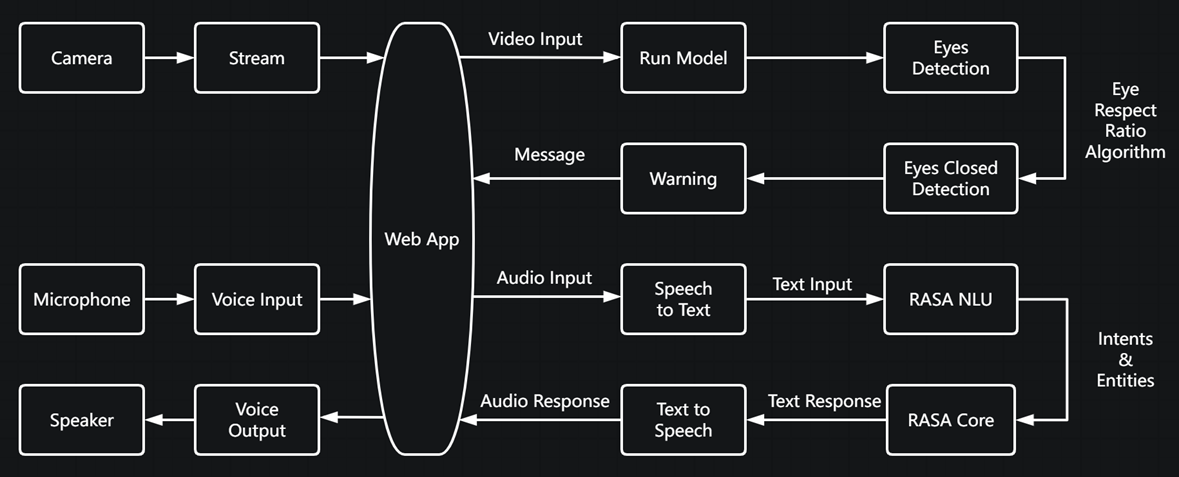
This is the overall structure of our project. In this project, we have three main parts, web app, drowsiness detection, and chatbot. In this process, we have an attentive score to measure the level of the user’s drowsiness. And the chatbot will try to wake the user up if it is lower than a threshold.
User Interface
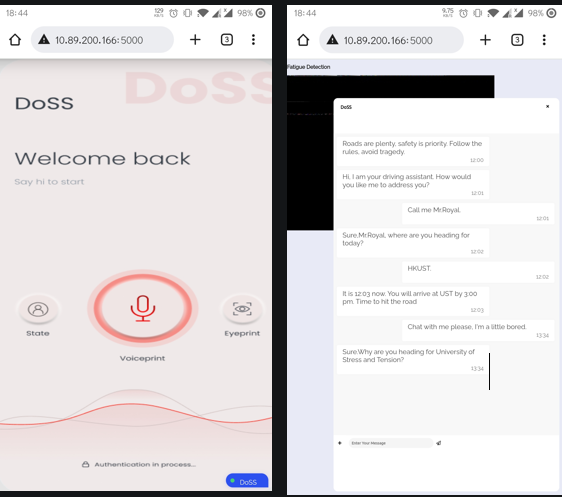
This is a website combining the drowsiness detection part and the voice assistant part. This is for a better user experience on mobile devices since all the background processing is done on a PC.
Drowsiness Detection
We use computer vision to detect the state of drivers’ eyes in order to determine their drowsiness.
UML for drowsiness detection:

-
Set Parameter
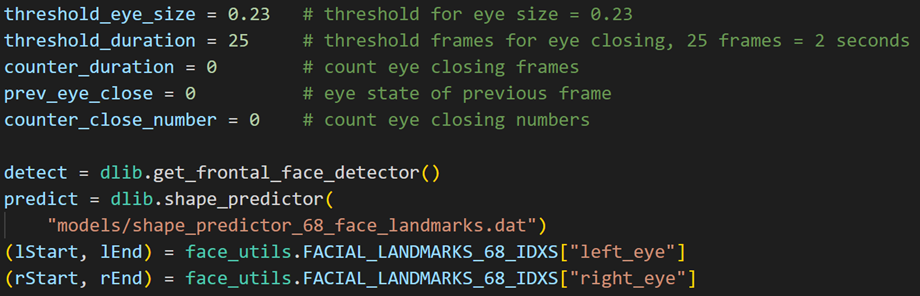
We set a threshold for eye size, to distinguish the opened and closed states of eyes. A duration threshold and a duration counter to track the time for closed eyes. As well as an eye closing number counter and a previous eyes state variable to count the number of times drivers has closed their eyes.
There are also several variables created and used in the cv model.
-
Run Model
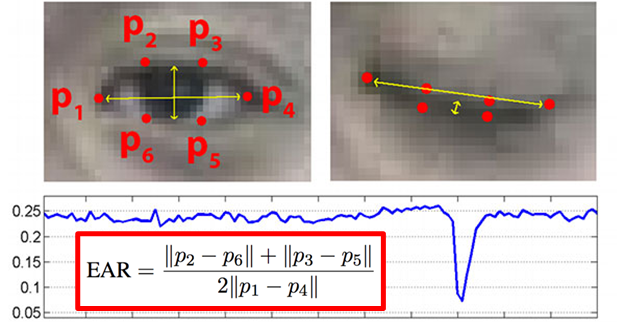
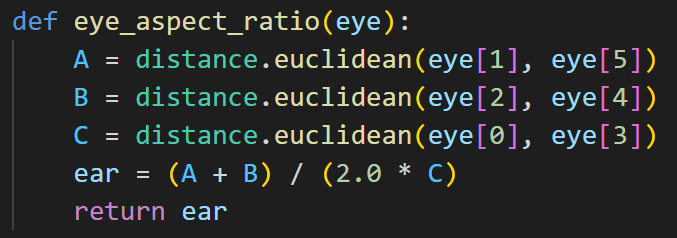
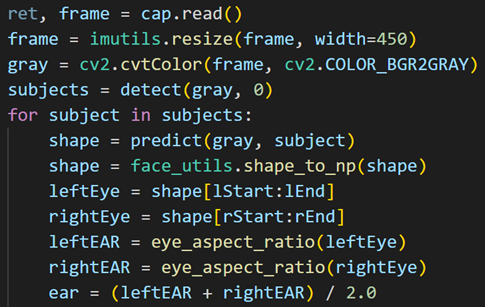
We combined the parameters through an algorithm called EAR (eye aspect ratio). The idea of this algorithm is to set six points around the eye. By applying this formula, we could get a number between 0 and 0.5. If the result is smaller than 0.25, we could say that the driver closes or blinks his eyes. Since the calculated value is a ratio, this algorithm applies to drivers with variety eye size.
-
Eye detection
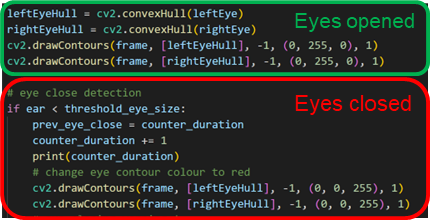
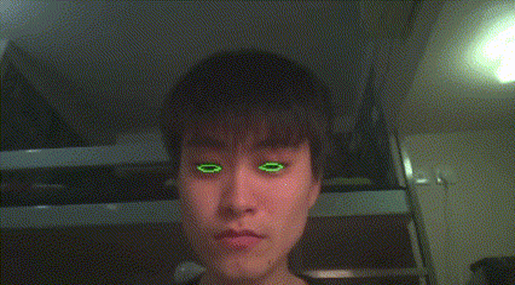
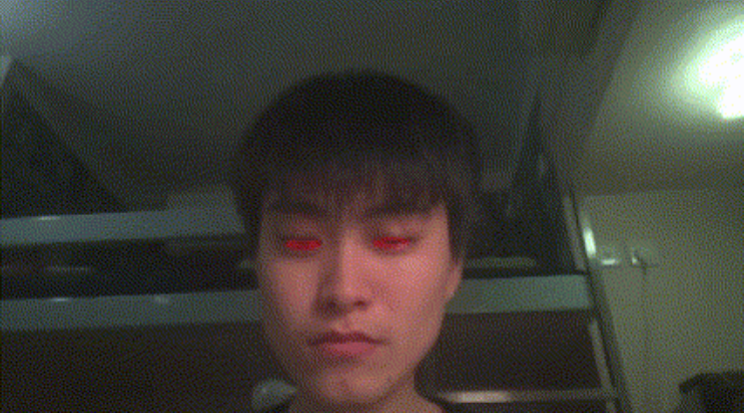
When we are doing detection, green contours will be drawn for opened eyes and red contours will be drawn for closed eyes.
-
Drowsiness Detection
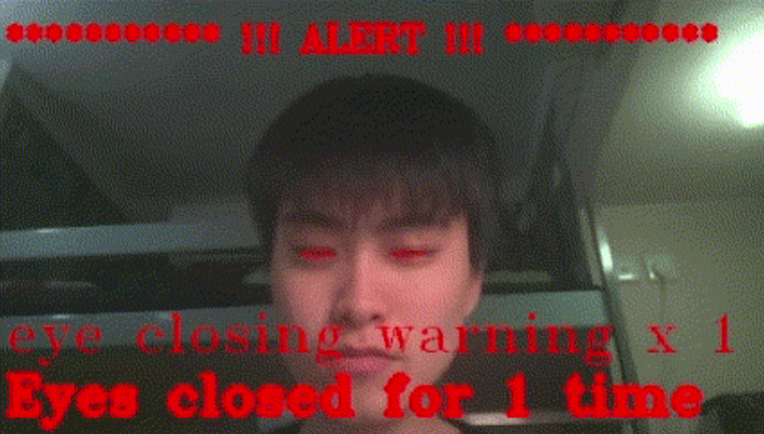
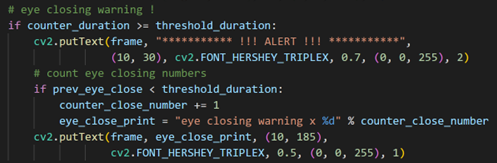
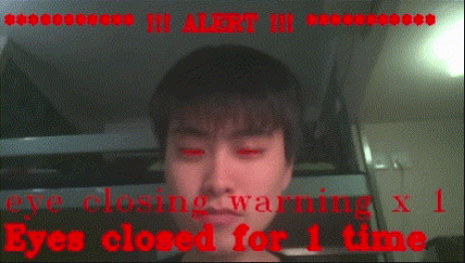
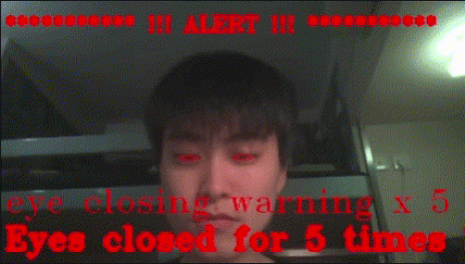
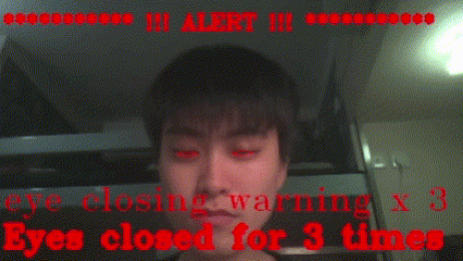
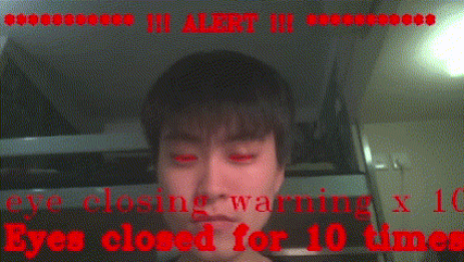
Once the driver’s eyes are closed for more than 2 seconds, a warning will be displayed on the screen, with the number of times the driver closed eyes. And there will also be a message sent to the chatbot to warn the driver.
-
Warning
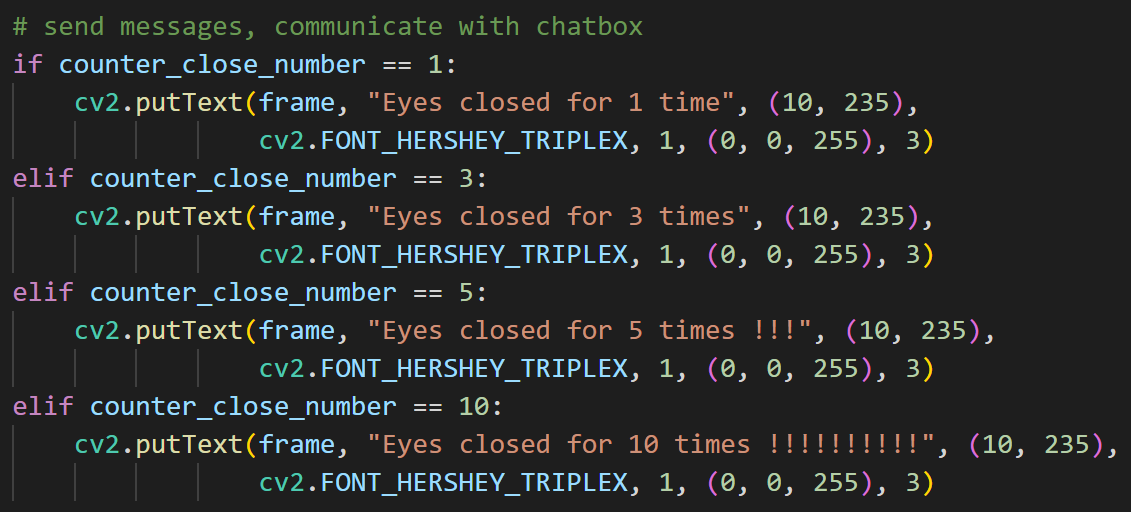
When the driver closed eyes for the 1st time, 3 times, 5 times, and 10 times, additional warning will be shown on the screen, and additional message will be sent to the chatbot to warn the driver.
Voice Assistant
The voice assistant part is developed using the Rasa framework. It uses natural language processing and machine learning algorithms to understand user input and generate appropriate responses.To enable voice interactions, DoSS employs deepspeech that can convert spoken words into text, and Coqui TTS which reads out the text output in natural tone.
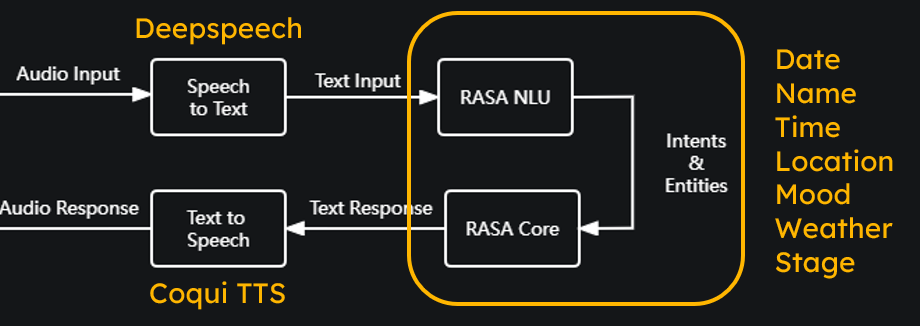
To obtain information like navigation, location, or weather data, DoSS uses various packages like NavPy, python_weather and music etc.

As for the chat flow, it is implemented using a series of conditional statements that check the user’s input and respond accordingly. Depending on the user’s stage of driving, DoSS may ask for confirmation, offer entertainment, or provide safety warnings. These conditional statements are programmed to ensure that the conversation flows smoothly.
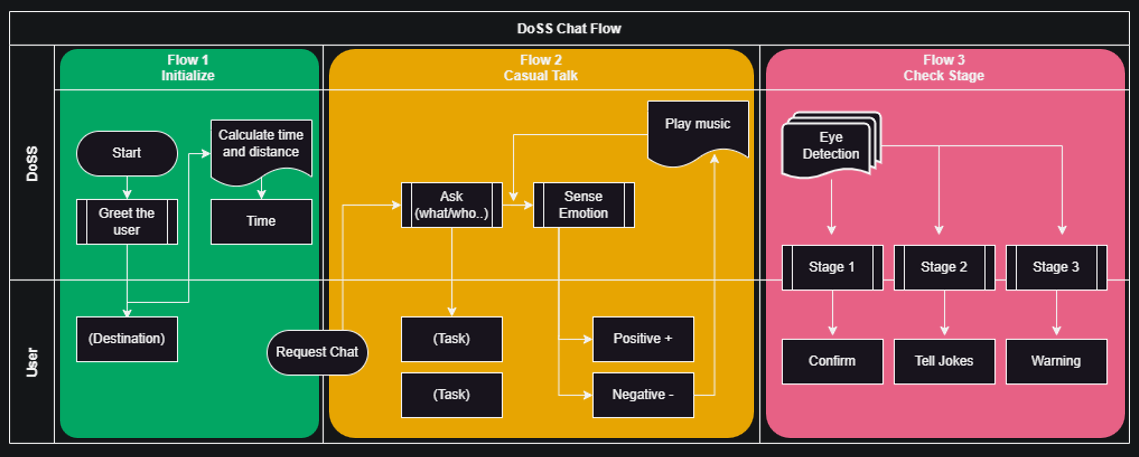
**Flow 1: Initialize**Firstly, when you launch DoSS, the chatbot will greet you and ask for your name. It will then inquire about your destination. Once you provide the necessary details, DoSS will estimate the time of arrival and suggest that you hit the road.
#Example of the dialogue and loop logic - flow 1

Doss: Hi, I am your driving assistant DOSS. How should I address you?

User: call me {name}

Doss: {name}, where are you heading for today?

User: I am going to {place}

Doss: Do you mean {place}? #search for the place, return a string

	-> User: no #return to line 3

	-> User: yes, it is.

Doss: All right, it is {time} now. You will arrive at {place} by {time}. Time to hit the road.
**Flow 2: Casual Talk**As you drive, you may feel bored or want to have a conversation. DoSS is ready for casual talk and will ask you about your plans for the day. If you express frustration or weariness about your task, DoSS will try to uplift your mood with a piece of cheerful music.
#Example of the dialogue and loop logic - flow 2

User: (Can you chat with me please / I am bored now) # any expression of boredom

Doss: Sure, what are you going to do at {place}?

User: (Good ask. I am going to fail comp4461 cuz the ddl is tonight and haven't start a word ) #anything the users says

Doss: How exciting!

User: ^*$(&@(#&@$~">}

	-> Positive:Good to know

	-> Negative: Let me cheer you up by some music!  # when the answer includes any swear words
**Flow 3: Check Stage**Next, DoSS will check your stage of driving. There are three stages, and each stage corresponds to a different level of attentiveness. If DoSS detects that you may be tired or need a break, it will ask if you want some music to help you stay awake. If you continue to show signs of fatigue, DoSS will move to stage two and tell you a joke. If you respond negatively to the joke, DoSS will ask you a math question to confirm your cognitive state. If you answer correctly, DoSS will return to stage one. However, if DoSS still detects signs of danger or drowsiness, it will move to stage three and warn you about safety and following the rules.
#Example of the dialogue and loop logic - flow 3

#Stage 1
- Have you just blinked your eyes? Are you a bit tired? You have driven for 3 hours.
- Do you want some music?
    - y → play music
    - n → fine, keep up
#Stage 2
- You seem sleepy, let me tell you a joke
    - answer dad's joke by random
	    1. What do you call a deer with no eyes? No idea ( no-eye-deer)
	    2. What did a late tomato say to other tomatoes? I will ketchup
	    3. I only know 25 letters of the alphabet. why? I don’t know y
	    4. What do you call a bee from America? USBee
	    5. How do we count cows? With a Cowculator (calculator)
- if the user answer, not I am not
		- (Ask math question by random to confirm):
	    1. What is the square root of 144? 12
	    2. Are all sides equal in an Isosceles triangle?
		- if answered correctly, back to stage 1
#Stage 3
- Warning Warning!
- Roads are plenty, safety is priority. Follow the rules, avoid tragedy.
By integrating the voice bot into the DoSS WebApp, the system provides an intuitive and user-friendly interface that can help reduce the risks of drowsy driving and improve road safety.
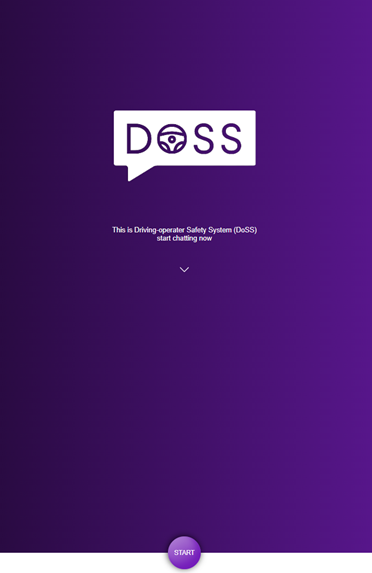
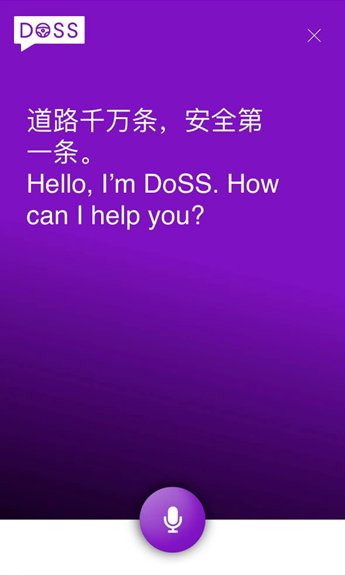
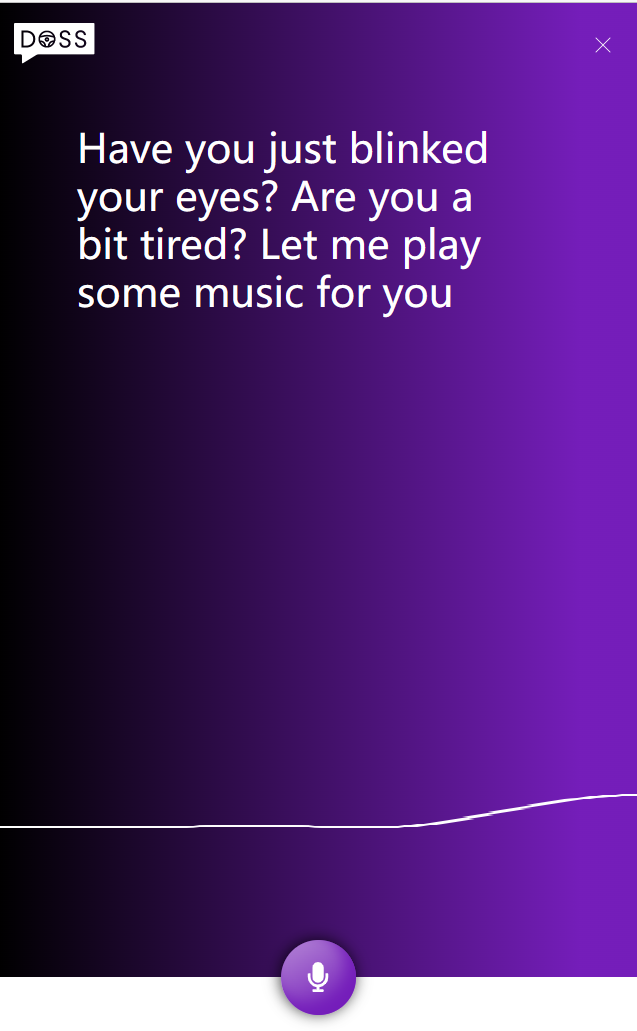
🔼 The screenshot of the voice bot prototype 🔼Demo Video
https://drive.google.com/file/d/1X60kjKCzTDTpB6UohzxXarUoEu4XmwOt/view
Speed Date
The driver in our demo video is highly impressed with the efficacy of the Doss system as it provides a gentle reminder in the early stage and gradually alerts him when he starts feeling drowsy. Moreover, the interactive nature of the chatbot adds to the system’s usefulness.
Personal Contribution & Reflection
In this project, I am responsible for the web app part. During my project, I had the opportunity to work with Flask web programming and camera input to HTML. It was a challenging experience that required me to learn new technologies and put my programming skills to the test.
One of the things that I found most interesting about this project was the opportunity to work with Flask. It allowed me to create a web application that could be accessed from anywhere, which was a great way to showcase my programming skills to a wider audience. In addition, Flask’s simple and easy-to-use framework made it easy for me to build my project and add the necessary functionality.
Another exciting part of this project was the camera input from the CV part by my teammate to HTML. This feature allowed us to capture images from a camera, process them by the algorithm and display them in real-time on a web page. It was a challenging task that required me to learn new skills, but it was a rewarding experience to see the finished product.
Throughout the project, I encountered several challenges that tested my patience and programming skills. For example, I had to troubleshoot several issues with the camera input and HTML code, which required me to carefully analyze the code and identify the source of the problem. While frustrating at times, these challenges ultimately helped me grow as a programmer and gave me a sense of accomplishment when I finally resolved them.
Overall, this project was an excellent opportunity for me to learn new skills and push my boundaries as a programmer. I’m proud of the work that I’ve accomplished, and I look forward to using these new skills in future projects.
Group Meeting
- 03/08 - 15:00-18:00 - Library LG1
- Create notion workspace
- Create Github team organization
- Brainstorm
- Work distribution
- 03/09 - 13:30-15:30 - McDonald’s
- Specify features & functionalities
- Work distribution
- 03/13 - 20:00-22:00 - Library LC05
- Finish mindmap
- Prototype draft
- 03/16 - 19:30-21:30 - Library LC04
- Work on the prototype
- Work on the video demo
- 03/22 - 15:30-17:30 - Library LG1
- Continuing work on the prototype
- Continuing work on the video demo
- Make app user interface
- 03/28 - 21:00-22:30 - Library LC07
- Continuing work on the prototype
- Continuing work on the video demo
- Start working on the presentation slide
- 03/30 - 19:00-23:30 - Library LC18
- Working on the presentation slide
- Make prototype UML
- 04/02 - 22:00-00:00 - Zoom
- Finalize the presentation slide
- Finish demo video
- Presentation rehearsal
Documentation
-
Presentation Slide:
-
Demo Video:
-
GitHub Repository